Project and Task State Management
Project and tasks move through a series of states as they progress from their initial created state to completion.
Project states
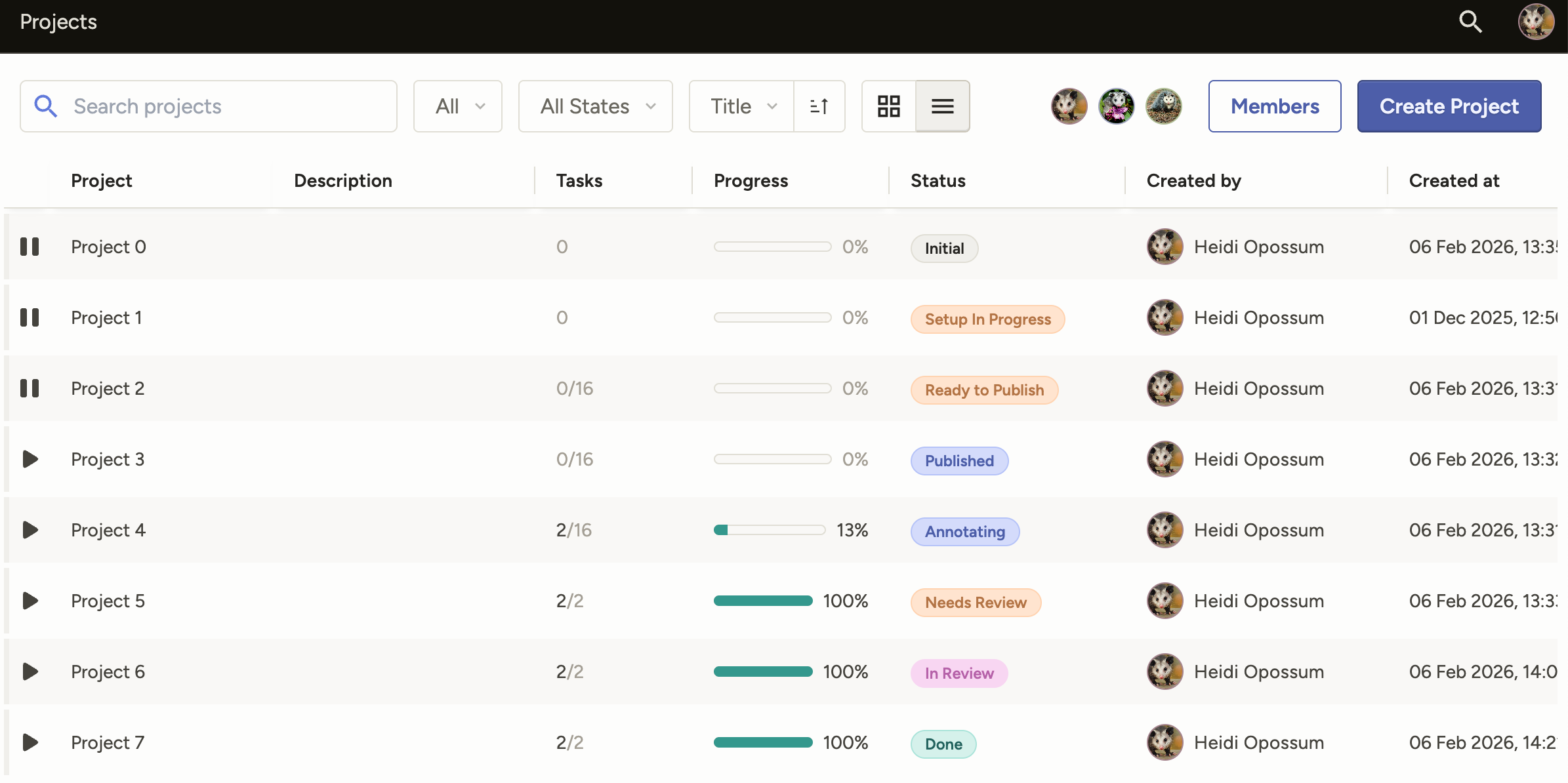
Projects progress through the following states:
stateDiagram-v2
    state "Initial" as CREATED
    state "Setup In Progress" as SETUP_IN_PROGRESS
    state "Ready To Publish" as READY_TO_PUBLISH
    state "Published" as PUBLISHED
    state "Annotating" as ANNOTATION_IN_PROGRESS
    state "Needs Review" as NEEDS_REVIEW
    state "In Review" as REVIEW_IN_PROGRESS
    state "Done" as COMPLETED

    CREATED --> SETUP_IN_PROGRESS: Add config or tasks
    SETUP_IN_PROGRESS --> READY_TO_PUBLISH: Add config and tasks
    READY_TO_PUBLISH --> PUBLISHED: Publish project
    PUBLISHED --> ANNOTATION_IN_PROGRESS: First annotation started
    ANNOTATION_IN_PROGRESS --> NEEDS_REVIEW: All tasks annotated
    NEEDS_REVIEW --> REVIEW_IN_PROGRESS: First review started
    REVIEW_IN_PROGRESS --> COMPLETED: All reviews done
    ANNOTATION_IN_PROGRESS --> COMPLETED: No review required

    class CREATED neutral
    class SETUP_IN_PROGRESS cantaloupe
    class READY_TO_PUBLISH cantaloupe
    class PUBLISHED grape
    class ANNOTATION_IN_PROGRESS grape
    class NEEDS_REVIEW cantaloupe
    class REVIEW_IN_PROGRESS plum
class COMPLETED kale| State | Description |
|---|---|
| Initial | You have created the project, but you have not created tasks or configured the labeling interface yet. |
| Setup In Progress | You have created the project and you have either created tasks or configured the labeling interface, but you have not done both. If your project is in a Personal Sandbox, it cannot move beyond this state until you move it into a shared workspace. |
| Ready to Publish | Your project has tasks and you have configured the labeling interface, but you have not published the project yet. |
| Published | Project is published, but does not have any annotations yet. |
| Annotating | At least one task has at least one submitted annotation, meaning annotation work has started. |
| Needs Review | All tasks have been annotated by the required number of users, but there are still tasks that need to be reviewed. Whether your project enters this state depends on your project settings and task states. See Additional notes below. |
| In Review | All tasks have received at least one review, but reviews have not yet been completed for all tasks. Whether your project enters this state depends on your project settings and task states. See Additional notes below. |
| Done | All tasks have been completed. |
Task states
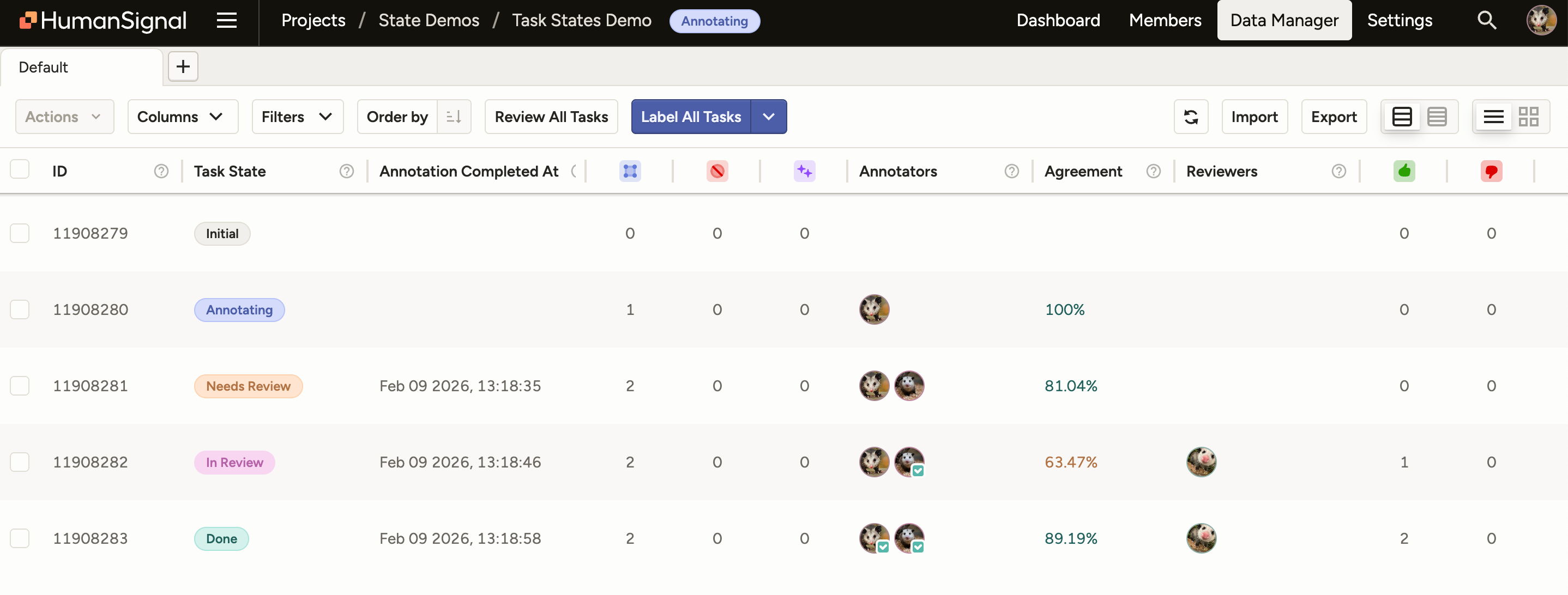
stateDiagram-v2
    state "Initial" as CREATED
    state "Annotating" as ANNOTATION_IN_PROGRESS
    state "Needs Review" as NEEDS_REVIEW
    state "In Review" as REVIEW_IN_PROGRESS
    state "Done" as COMPLETED

    CREATED --> ANNOTATION_IN_PROGRESS: First annotation created
    ANNOTATION_IN_PROGRESS --> NEEDS_REVIEW: Annotations complete -<br>review required
    ANNOTATION_IN_PROGRESS --> COMPLETED: Annotations complete -<br>review not required
    NEEDS_REVIEW --> REVIEW_IN_PROGRESS: First review started
    REVIEW_IN_PROGRESS --> COMPLETED: All reviews done
    REVIEW_IN_PROGRESS --> ANNOTATION_IN_PROGRESS: Annotation rejected<br>(requeue mode)

    class CREATED neutral
    class ANNOTATION_IN_PROGRESS grape
    class NEEDS_REVIEW cantaloupe
    class REVIEW_IN_PROGRESS plum
class COMPLETED kale| State | Description |
|---|---|
| Initial | Task has been created but does not have any annotations yet. |
| Annotating | First annotation has been submitted, or a rejected annotation has been requeued back to the annotator. Whether the task lingers in this state long enough for it to be reflected in the Data Manager depends on your project settings. See Additional notes below. |
| Needs Review | The required number of annotations have been completed and the task is ready for review. Whether the task enters this state depends on your project settings. See Additional notes below. |
| In Review | First review has been created for any annotation within the task. Whether the task enters this state depends on your project settings. See Additional notes below. |
| Done | All required annotations and reviews have been completed. |
Tip
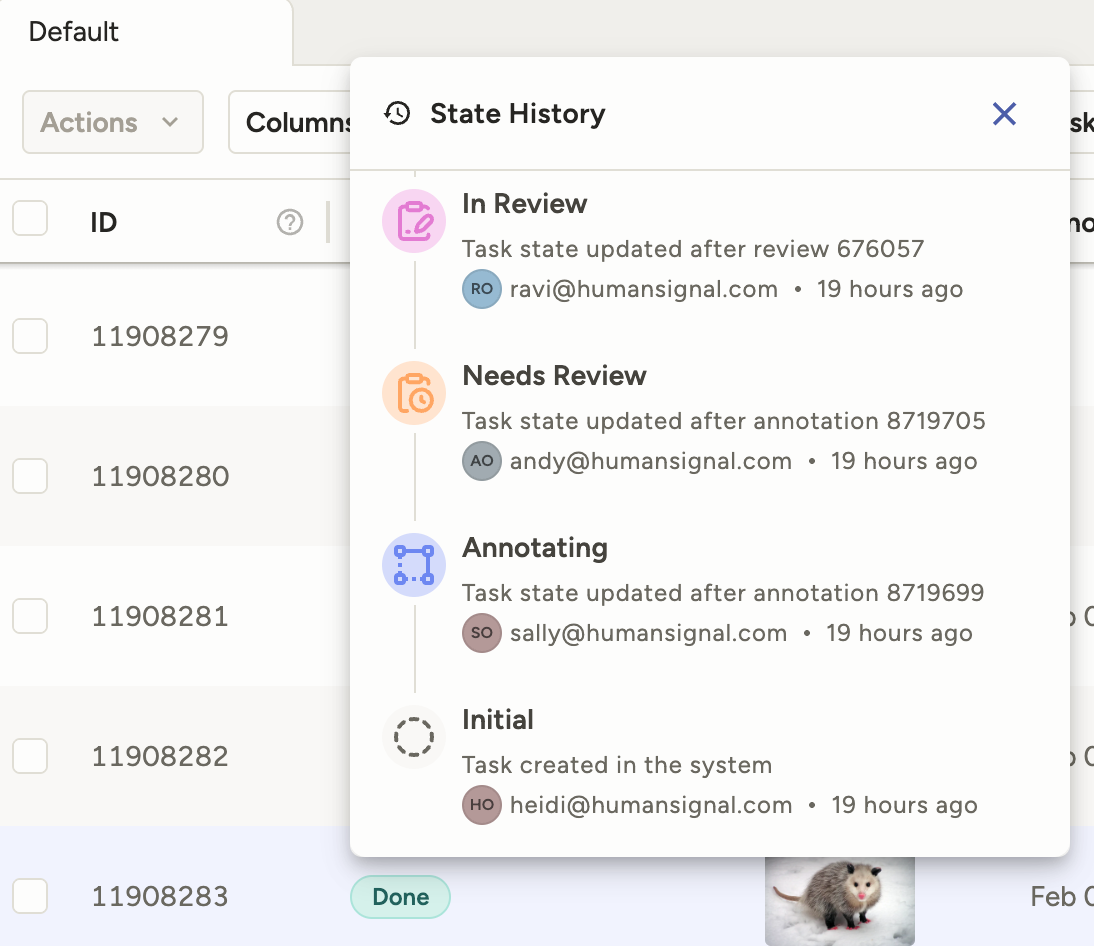
You can click on the state in the Data Manager to view a history of state changes:
Additional notes
Project settings and states
Several project settings affect how and if a project/task enters certain states.
Annotating state
The Annotating state for tasks is influenced by Quality > Overlap of Annotations.
If your overlap is 1, the task immediately progresses to the next state as soon as the first annotation is submitted.
If your overlap is greater than 1, the task will sit in the Annotating state until you’ve reached the required number of annotations.
Needs Review state
There are two settings that can cause tasks (and by extension, the project) to skip the Needs Review state:
- If you have Review > Reviewing Options > Review only manually assigned tasks enabled, but have not assigned any reviewers.
- If you have Review > Task Ordering > Random selected and the Task limit (%) set to
0.
In Review state
The In Review state for tasks (and by extension, the project) only happens when:
- Tasks have multiple annotations (meaning an overlap greater than 1).
- The Review > Reviewing Options > Task is reviewed when all annotations are reviewed setting is enabled.
By default, the overall task is considered reviewed if any one of its annotations have been been accepted/rejected. In these situations, the task will move from Needs Review to Done as soon as one review is submitted.
If you enable Task is reviewed when all annotations are reviewed, the task moves from Needs Review to In Review after the first review has been submitted, and then Done after the final review is submitted.
Task state rollup into project state
Once your project reaches the Published state, its subsequent states are determined by the state of the tasks within the project.
The project adopts the least advanced state of the tasks.
For example, if you have 10 tasks:
- 1 task is in the Annotating state
- 6 tasks are in the In Review state
- 3 tasks are in the Done state
Your project will be in the Annotating state.
Initial state exception
The exception is the Initial state. For the purposes of the project state rollup, Initial tasks are calculated as Annotating tasks.
For example, if you have 10 tasks:
- 5 tasks are in the Initial state
- 5 tasks are in the In Review state
Your project will be in the Annotating state, even though you do not have any tasks in the Annotating state.
API values
If you are using the SDK, the API values for each state are as follows.
Projects:
| Project state | API value |
|---|---|
| Initial | CREATED |
| Setup In Progress | SETUP_IN_PROGRESS |
| Ready to Publish | READY_TO_PUBLISH |
| Published | PUBLISHED |
| Annotating | ANNOTATION_IN_PROGRESS |
| Needs Review | NEEDS_REVIEW |
| In Review | REVIEW_IN_PROGRESS |
| Done | COMPLETED |
Tasks:
| Task state | API value |
|---|---|
| Initial | CREATED |
| Annotating | ANNOTATION_IN_PROGRESS |
| Needs Review | NEEDS_REVIEW |
| In Review | REVIEW_IN_PROGRESS |
| Done | COMPLETED |